Enquiry to Dispatch.Materials to Finished Goods.Work Orders to Real Costs.Shop Floor to Owner Reports.Enquiry to Dispatch.
OneSoft Manufacturing & Production ERP connects sales orders, bills of materials, stores, work orders and dispatch, so owners, planners and the shop floor all work from the same page.
30-minute walkthrough. Pick a slot; our team confirms it.
23Connected modules
6Factory types
Multi-userRoles dashboards
30 minTailored live demo
Who it serves
Configured for the factory you actually run
01
Engineering & fabrication shops
Job-wise drawings, BOMs, routings and machine time tracked from quote to dispatch.
02
FMCG & packaged goods plants
Batch production, packing materials, expiry dates and distributor dispatch in one flow.
03
Chemical & process manufacturers
Formula-based recipes, batch yields, quality checks and lot traceability.
04
Textile, garment & leather units
Style variants, size-colour matrices, outsourced stitching and order-wise costing.
05
Make-to-order workshops
Every customer order becomes a planned job with its own materials, stages and margin.
06
Multi-plant manufacturing groups
Separate plants and warehouses, shared masters and consolidated owner reporting.
Before and after
The paperwork that slows production down, connected
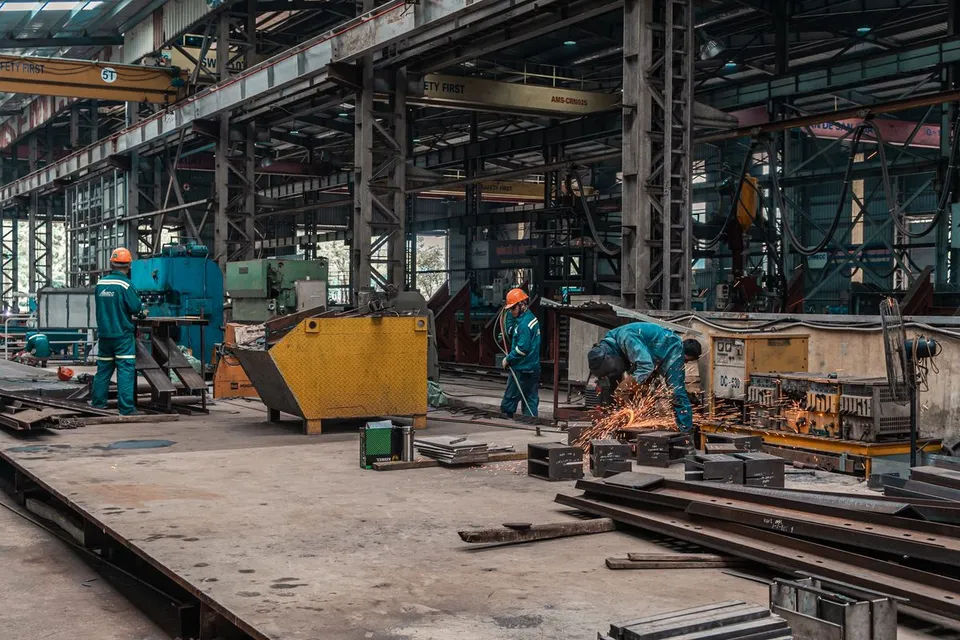
Representative photo
Order status lives in phone calls and WhatsApp threads
Every sales order shows its work orders, stage and expected dispatch date in one view.
Production starts, then stops for missing material
Material planning checks the BOM against stock and open purchases before the job is released.
Nobody knows the real cost of a finished batch
Material issues, labour, machine time and overheads roll up into actual cost per order.
Store registers never match what is on the shelf
Receipts, issues, returns and transfers post live, with batch and bin locations.
Owners see last month's numbers, too late to act
Reports on output, rejections, WIP, dispatches and receivables, filtered by plant or product.
23 connected modules & services
Explore what owners, planners and the shop floor use every day
Scroll down to explore each module in order. The highlighted module and its details change together. You can also select any module to jump straight to it.
Customer Enquiries & Sales Orders01 / 23
Every order starts with a clear commitment
Capture enquiries, issue quotations and convert them into sales orders with quantities, specifications and promised delivery dates.
Enquiry and quotation register
Quotation-to-order conversion
Customer-specific prices and terms
Delivery dates per order line
Order status visible to sales
Pending and overdue order reports
Scroll to explore next: Product Master & Variants
Product Master & Variants02 / 23
One clean list of everything you make and buy
Maintain finished goods, semi-finished items and raw materials with units, variants and specifications in a single master.
Finished, semi-finished and raw items
Size, colour and grade variants
Units of measure and conversions
Drawings and specification files
Item codes and categories
Active and obsolete item control
Scroll to explore next: Bill of Materials
Bill of Materials03 / 23
Know exactly what goes into each product
Define multi-level BOMs or recipes with quantities, scrap allowances and alternates, and keep revisions under control.
Multi-level BOMs and sub-assemblies
Formula and recipe-based BOMs
Scrap and wastage allowances
Alternate materials
BOM revisions with history
Standard material cost per product
Scroll to explore next: Routing & Work Centres
Routing & Work Centres04 / 23
Map the path a product takes through the floor
Set up operations, machines and work centres with standard times so planning reflects real capacity.
Work centres and machine registers
Operation sequences per product
Setup and run times
Shift and capacity calendars
Labour and machine rates
Outsourced operation steps
Scroll to explore next: Demand & Material Planning (MRP)
Demand & Material Planning (MRP)05 / 23
See shortages before they stop a line
Explode confirmed orders and forecasts through BOMs, net them against stock and open purchases, and list what needs buying or making.
Demand from orders and forecasts
BOM explosion to raw material level
Netting against stock and open POs
Shortage and surplus reports
Suggested purchase and work orders
Planner review before release
Scroll to explore next: Procurement & Suppliers
Procurement & Suppliers06 / 23
Buy the right material on time
Turn shortages into purchase requests and orders, compare supplier quotes and follow up on pending deliveries.
Purchase requests and approvals
Supplier quotations and comparison
Purchase orders with delivery dates
Supplier registers and price history
Pending delivery follow-ups
Purchase returns and debit notes
Scroll to explore next: Raw Material Inventory
Raw Material Inventory07 / 23
Stores records that match the shelf
Receive, inspect, store and issue materials against work orders, with batches, bins and reorder levels kept current.
Goods receipt against purchase orders
Issues and returns against work orders
Bin and rack locations
Batch and expiry tracking
Reorder levels and alerts
Stock valuation and ageing reports
Scroll to explore next: Production Scheduling
Production Scheduling08 / 23
A realistic plan for every line and shift
Sequence jobs across machines and shifts based on due dates, routings and available capacity, and adjust as priorities change.
Machine and line-wise schedules
Due-date based sequencing
Capacity load views
Drag-to-reschedule planning boards
Material readiness checks
Plan versions for comparison
Scroll to explore next: Work Orders
Work Orders09 / 23
Release clear jobs to the floor
Create work orders from sales orders or plans, with materials, operations and quantities, and track each job to completion.
Work orders linked to sales orders
Material requirement per job
Operation-wise job cards
Printable job sheets
Partial completion and splitting
Open, running and closed job status
Scroll to explore next: Shop-floor Reporting
Shop-floor Reporting10 / 23
Know what was produced, shift by shift
Let supervisors record output, scrap, labour hours and downtime by operation, so work in progress is visible without walking the floor.
Stage-wise output entry
Scrap and rework recording
Labour and machine hours
Downtime reasons and duration
Work-in-progress by stage
Shift production summaries
Scroll to explore next: Quality Control
Quality Control11 / 23
Inspect at the points that matter
Define inspection plans for incoming material, in-process stages and finished goods, and record results before stock moves on.
Incoming material inspection
In-process quality checks
Final inspection before dispatch
Parameters and tolerance setup
Hold, accept and reject decisions
Rejection and non-conformance reports
Scroll to explore next: Batch & Serial Traceability
Batch & Serial Traceability12 / 23
Trace any unit back to its materials
Link raw material lots to production batches and serial numbers, so you can answer where a lot went and what went into it.
Lot and batch numbering rules
Serial number assignment
Forward and backward trace
Barcode and label printing
Batch records per work order
Customer-wise shipment history
Scroll to explore next: Subcontracting
Subcontracting13 / 23
Keep control of work done outside
Send material to job workers for outsourced operations, track what is with each vendor and receive processed goods back.
Outward challans to job workers
Material balance with each vendor
Processed goods receipts
Job work rates and bills
Pending return follow-ups
Vendor-wise quality and delays
Scroll to explore next: Machine Maintenance
Machine Maintenance14 / 23
Plan maintenance before machines plan it for you
Keep machine records, preventive schedules and breakdown logs so maintenance and production plan around each other.
Machine and equipment registers
Preventive maintenance schedules
Breakdown requests and logs
Spare parts usage
Maintenance history per machine
Downtime and repair reports
Scroll to explore next: Finished Goods & Warehousing
Finished Goods & Warehousing15 / 23
Finished stock, ready and accounted for
Book completed production into warehouses by batch, reserve stock against orders and manage transfers between locations.
Production receipts into stock
Multi-warehouse locations
Stock reservation against orders
Inter-warehouse transfers
Packing and pallet details
Ready-to-dispatch stock reports
Scroll to explore next: Dispatch & Delivery
Dispatch & Delivery16 / 23
Ship complete, ship on time
Plan dispatches against orders, prepare delivery notes and record vehicles and delivery confirmation.
Dispatch planning by order
Delivery notes and packing lists
Vehicle and transporter details
Partial and full shipments
Proof of delivery records
On-time dispatch reports
Scroll to explore next: Costing & Profitability
Costing & Profitability17 / 23
The real cost of every order
Compare standard and actual cost using material issues, labour, machine time and overheads, and see margin per order or product.
Standard vs actual cost
Material, labour and overhead rollups
Scrap and rework cost impact
Order-wise profitability
Product-wise margin reports
Cost variance analysis
Scroll to explore next: Invoicing & Double-entry Accounting
Invoicing & Double-entry Accounting18 / 23
Invoices and ledgers that follow the goods
Raise invoices from dispatches and connect sales, purchases and expenses to an organised double-entry ledger.
Invoices linked to delivery notes
Chart of accounts and opening balances
Receivable and payable ledgers
Cash, bank and expense vouchers
Trial balance and financial statements
Bank reconciliation and audit trail
Scroll to explore next: HRM & Shift Attendance
HRM & Shift Attendance19 / 23
Manage the people who run the lines
Keep worker records, shifts, attendance, overtime and payroll connected for permanent, contract and piece-rate staff.
Employee and contractor profiles
Shift rosters by line
Attendance and overtime
Piece-rate and wage setup
Leave and approvals
Payslips and payroll summaries
Scroll to explore next: Notifications (WhatsApp & Email)
Notifications (WhatsApp & Email)20 / 23
Send the right update to the right person
Configure WhatsApp and email messages for selected events. Provider setup, approved templates and messaging charges are agreed during implementation.
Order confirmations to customers
Dispatch and delivery updates
Purchase orders to suppliers
Shortage and approval alerts to staff
Template and recipient management
Configured-provider delivery logs
Scroll to explore next: Role Security & Two Step Verification
Role Security & Two Step Verification21 / 23
Costs and formulas seen only by the right people
Control access by role, plant and module, and apply a second verification step to selected accounts.
Role and plant-based permissions
Restricted cost and price visibility
Password plus a second verification step
Role-based enforcement policies
Account recovery procedures
Sign-in and change activity logs
Scroll to explore next: AI Planning Assistant
AI Planning Assistant22 / 23
Suggested plans, with planners in control
Scope an AI assistant that drafts schedules, summarises shortages and answers questions from your approved data. Every suggestion is reviewed by staff before use.
Draft production sequences for review
Shortage and delay summaries
Questions answered from permitted records
Draft supplier follow-up messages
Role-aware data access
Human approval before any release
Scroll to explore next: Custom Requirements
Custom Requirements23 / 23
Shape the software around your factory
Discuss requirements that do not fit a standard module. We review feasibility, integrations and delivery scope before agreeing a custom implementation.
Workflow and requirement review
Custom approval rules
Bespoke reports and print formats
Agreed machine or third-party integrations
Legacy-data import and migration scope
Written scope, quote and rollout plan
All modules explored. Keep scrolling to continue.
Order lifecycle
From customer enquiry to delivered order, one continuous record
01
Enquiry
Customer request quoted and confirmed as a sales order.
02
Planning
BOM exploded and material shortages identified.
03
Procurement
Purchase orders raised and raw material received.
04
Work order
Job released with routing, machines and quantities.
05
Production
Stage-wise output, scrap and time reported.
06
Quality
Inspection recorded, lots approved or held.
07
Warehousing
Finished goods booked into stock by batch.
08
Dispatch
Delivery note, invoice and proof of delivery.
Role-based access
Each person sees exactly what their job needs
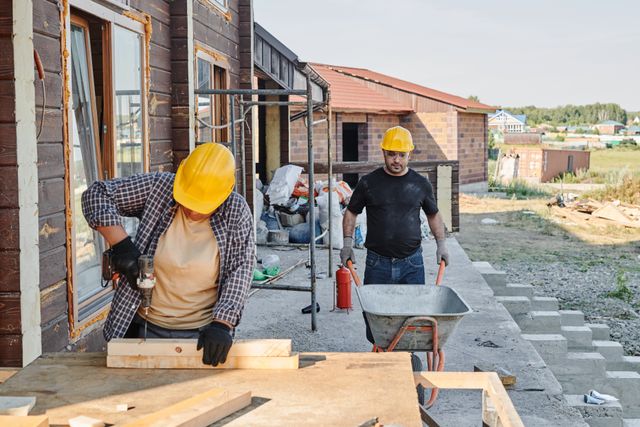
Representative photo
Owner / Management
See the whole factory at a glance
Orders, output and dispatches by plant
Actual cost and margin per order or product
Approval of purchases, discounts and key changes
Exportable reports for management meetings
Representative photo
Production / Shop Floor
Clear jobs, fewer interruptions
Daily work orders by line and machine
Material issue requests against the BOM
Stage-wise output, scrap and downtime entry
Shift handovers and pending job lists
Representative photo
Stores / Purchasing
The right material before the job starts
Shortage lists generated from planning
Purchase orders and supplier follow-ups
Goods receipts, issues and transfers
Reorder levels, batches and bin locations
Representative photo
Finance / Sales
From quotation to collected payment
Quotations, sales orders and delivery promises
Invoices linked to dispatched quantities
Receivables, payables and ledgers
Order-wise costing and profitability
Representative photo
Custom role
Any role, tailored to your responsibilities
Create roles for any plant responsibility
Choose which modules and records each role can access
Set view, create, edit, delete and approval permissions
Limit access by plant, warehouse or production line
Configure custom dashboards, reports and workflows
Combine permissions to match your exact requirements
Role 1 / 5Scroll to explore: Production / Shop Floor
Package overview
Scoped to your size, quoted after we listen
No fixed list prices. Every package is configured during consultation and quoted in writing based on modules, plants and any custom work.
Yes. During the consultation we map your products, BOMs, production stages, approval steps and reports, and configure the system around them rather than asking you to change your process.
Pricing depends on modules, number of plants and users, and any custom work. We prepare a written quote after understanding your requirements, so there are no fixed list prices on this page.
Typically yes. Item lists, BOMs, opening stock and ledgers kept in spreadsheets or older systems can be reviewed for import; we agree the migration scope before starting.
No. The AI planning assistant suggests draft schedules, shortage summaries and reports. Planners and managers review and approve every plan before anything is released to the floor.
Access is role-based. Owners, planners, stores, shop-floor and finance users each see only the screens and figures permitted for their role, configured with your team.
A member of our team walks through the modules most relevant to your production setup and answers your questions. You choose a preferred time and we confirm it with you.
Next step
Bring your products, BOMs and bottlenecks. We will show you the rest.